

As a mobile payment service, Paga offers a variety of financial services to their millions of esteemed customers, including giving out POS terminals to interested businesses and individuals.
With over 19 million active users of the Paga mobile payment service, getting a Paga POS machine for your business won’t be a bad idea.
The Paga POS machine can be used to perform different financial transactions, like cash withdrawals, fund transfers, bill payments, cash deposits, airtime and data top-ups, and cable subscriptions, among others. Apart from these numerous financial transactions, Paga POS agents enjoy lots of benefits, like bonuses and cashbacks, when they use the terminal for transactions.
Read also: Amali POS
So, as a business owner, if you want to get a Paga POS machine for your business but don’t know how to go about it, then this article will be of utmost importance to you. Kindly go through it to get the desired information you need.
Why Paga POS
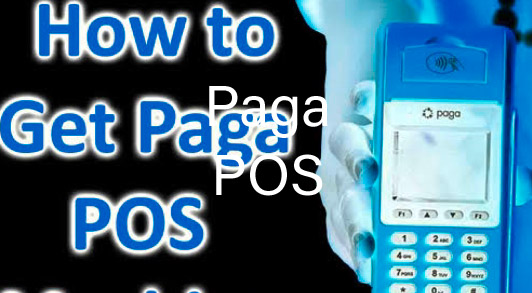
With millions of active users of the Paga payment service ecosystem, there are lots of benefits that businesses can get from using their POS terminal. Some of the reasons why businesses need Paga POS machines include:
- It can be used to transfer money with ease
- The Paga POS machine can be used for bill payment
- The terminal is used to cable subscription
- Paga POS machine can also be used for airtime/data top-up
- The terminal is also ideal for cash withdrawals.
- Paga POS agents also enjoy lots of benefits, like bonuses and cashback, when they use the terminal for transactions.
Requirements to Apply for Paga POS
To apply for the Paga POS machine, applicants are expected to meet certain requirements and provide relevant documents. The requirements are outlined below:
- Must be at least 18 years old
- Valid means of identification, like National ID card, driver’s license, international passport, etc.
- Recent passport photograph
- A functional phone number
- An active email address
- Utility bill receipt.
- Your bank verification number (BVN). etc.
Additional details, such as your full name, gender, state of residence, etc.
How to Apply for Paga POS
If you meet the above requirements, you can proceed to apply for your Paga Pos machine by following the simple steps below:
- Create an account with Paga by visiting www.paga.com
- Login to your account with your details and request a POS machine, or better yet, send an email requesting a POS terminal to service@mypaga.com
- Navigate to the ‘’Agent’’ section
- Tap on the ‘’Become an Agent’’ option
- Fill out the Paga POS application form when it prompts
- Make the necessary payment
- Wait for about 24 hours for Paga to issue you with a POS machine, and that’s all.
Or, better yet, you can download the Paga mobile app from the Google Play Store and register to become one of their agents from your comfort zone.
Paga POS Price
From our check, Paga doesn’t sell their POS machine; they only lease. This means that you can’t pay for the Paga POS upfront and take full ownership. You can only rent it from them.
The leasing fee for the Paga POS machine is ₦30,000. This means that if you want to rent the Paga POS machine for your business, you are required to pay the sum of ₦30,000. Since they don’t sell their machines, agents don’t have full ownership; hence, Paga has the right to retrieve their POS from agents when they go against their terms.
However, if, after leasing the POS machine, you’re not satisfied with their service, you can return the terminal and get a refund. If you return the Paga POS machine in good condition within the first three months of the lease, you are going to get a refund of ₦10,000. But if you fail to return it within the three-month window, you won’t get any refund, or if you spoil the machine within the three months, you won’t also get a refund.
Paga Customer Care
If you have issues with applying for or using the Paga POS, don’t hesitate to contact their customer care unit through the following handles: They are:
Email: service@mypaga.com
Call: 07000007242
Twitter: @mypagacare
Facebook:@mypaga
WhatsApp: 08099227242
SMS: 09090027242
Office Address: 176 Herbert, Macaulay Road, Yaba, Lagos, Nigeria.
Conclusion
Paga doesn’t sell their POS machines; they only lease them to interested people. The leasing price for the Paga POS terminal is ₦30,000. This payment is a caution fee; hence, you don’t have full ownership of the terminal since they can retrieve it any time you go against their terms. Applying for the POS terminal is quite simple; you can request it by just sending them a message through their email address.